Cheers.dev custom Forgejo homepage
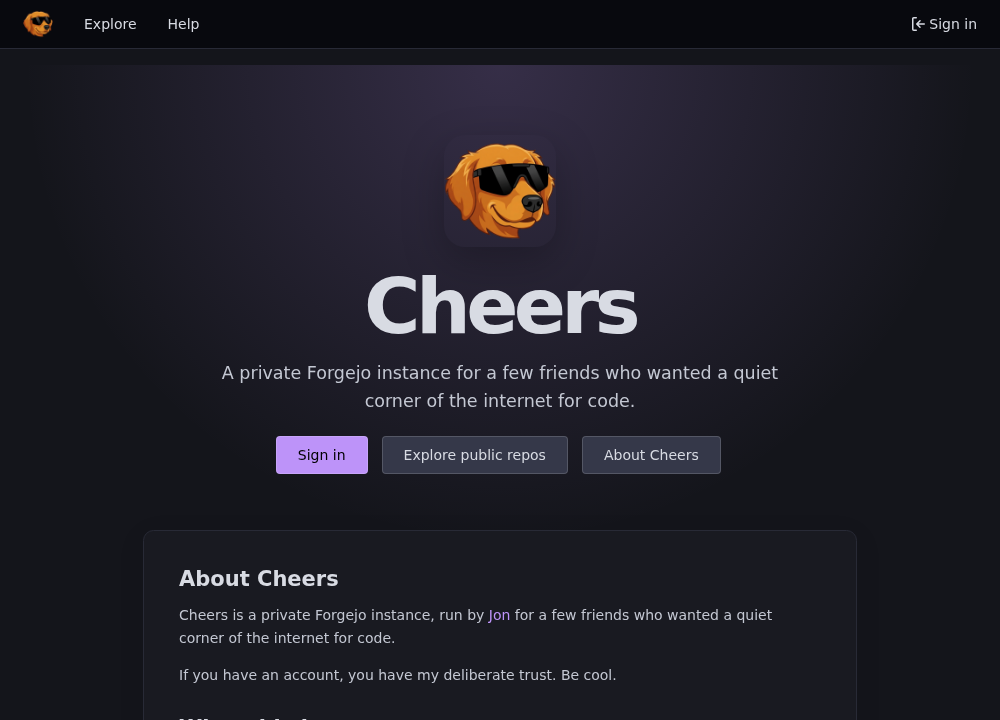
I recently updated cheers.dev to use a custom Forgejo homepage instead of the default landing page.
This is pretty straightforward once you know the two pieces involved:
- Add a custom
home.tmpltemplate. - Set Forgejo’s landing page to
home.
You don’t need to fork Forgejo for this. Forgejo can load template overrides from its custom templates directory, which is enough for a small homepage change.
Add a custom home.tmpl
Create a file named home.tmpl in your Forgejo custom templates directory.
In my setup, I keep the file in my deployment repo as:
deploy/forgejo-templates/home.tmplAt runtime, Forgejo needs to see the file as:
/data/gitea/templates/home.tmplA very small homepage template could look like this:
{{template "base/head" .}}

<div role="main" aria-label="{{ctx.Locale.Tr "home"}}" class="page-content home">
  <section class="ui container center aligned" style="padding: 5rem 1rem;">
    <h1>Cheers</h1>
    <p>A private Forgejo instance for a few friends who wanted a quiet corner of the internet for code.</p>

    <p>
      <a class="ui primary button" href="{{AppSubUrl}}/user/login">Sign in</a>
      <a class="ui button" href="{{AppSubUrl}}/explore/repos">Explore public repos</a>
    </p>
  </section>
</div>

{{template "base/footer" .}}
This keeps Forgejo’s normal header, footer, themes, routes, and session handling. The only thing you’re replacing is the page content.
From here you can add whatever markup or CSS you want. For cheers.dev, I added a logo, a short description, a few buttons, and some simple copy about the instance.
Set the landing page
Next, tell Forgejo to use home as the landing page.
If you configure Forgejo with environment variables, set:
FORGEJO__server__LANDING_PAGE=homeThen restart Forgejo.
After that, the root URL for the instance should render your custom homepage instead of the default landing page or the explore page.
Verify it worked
After restarting Forgejo, I checked a few things:
- The root URL rendered the new homepage.
- The sign-in button still worked.
- The public repos link still worked.
- Forgejo logs didn’t show template errors.
That’s it. A home.tmpl file, one landing page setting, and a restart.
Note: Forgejo template overrides are not a stable plugin API. They are template overrides. The homepage I built was based on Forgejo 15.0.2, so before upgrading Forgejo I will need to compare my
home.tmplagainst the upstream version and refresh it if needed.